0 ratings


Item #:
95381122
R2 L2 L1 R1 Button Cable for Sony PlayStation 5 PS5 Controller Connector Trigger Button Ribbon Flex Cable V1 + V2
Item #:
95381122
TZS 61251
Price Details
Excluding Shipping & Custom charges ( Shipping and custom charges will be calculated on checkout )
*All items will import from US
In stock
 Imported from USA store
QTY:
Order now and get it around Thursday, July 02
Secured transaction
Ubuy works hard to protect your security and privacy. Our advanced payment security system ensures confidentiality by encrypting your information during transmission using AES (Advanced Encryption Standards) and SSL (Secure Socket Layer) protocols. Your payment details are 100% secure as we do not share your payment details with third party sellers.
Our Top Logistics Partners


Enjoy the fun of DIY with our easy-to-install kit, complete with high-quality tools and parts!

Fast
Shipping

Free
Return*

Secure Packaging

100% Original Products

PCI DSS Compliance

ISO 27001 Certified


Note: Step Down Voltage Transformer required for using electronics products of US store (110-120). Recommended power converters Buy Now.


What Stands Out
High Compatibility
Designed specifically for PS5 controllers, ensuring perfect fit and optimal functionality, helping gamers maintain peak performance without the need for complete replacements.
Durable Construction
Crafted from high-quality materials to withstand extensive gaming sessions, ensuring longevity and reliability for an enhanced gaming experience over time.
Easy Installation
Allows for quick and straightforward installation, empowering users to repair their controllers themselves, reducing downtime and service costs.
Product Details
- 【Easy to Install】We provide enough high-quality tools, and 5 screws are included, you don't need any other tools to complete this task.
- 【Highest Quality】Brand New and Highest Quality, inspected before packaging to ensure that the parts you receive are in good condition.
- 【Warm Tips】The installation manual is NOT including in the package.Please searching on Youtube and follow the video step by step, enjoy the fun of DIY.
- 【What you Get】1 x Left Cable, 1 x Right Cable, 5 x Black Replacement Screws, 1 x 4.5 inch Phillips #00 Screwdriver, 1 x Metal Tweezers, 1 x Spudger, 1 x Plastic Pry Tool, 1 x iParto Microfiber Cleaning Cloth, 1 x Metal Opening Pry Tool.
- 【Compatible model】Compatible with PS5 Controller BDM-010 BDM-020.
| Connector Type | Usb |
| Cable Type | USB |
| Compatible Devices | PlayStation |
| Other Special Features of the Product | Low Voltage |
| Compatible Phone Models | No Compatible Phone Models |
| Connector Gender | Male-to-Female |
| Number of Pins | 8 |
| Maximum Voltage | 5 Volts |
| Recommended Uses For Product | Connecting and powering Sony Playstation 5 controller |
| Indoor Outdoor Usage | Indoor, Outdoor |
| Unit Count | 2.0 Count |
| Item Weight | 1.76 ounces (49.9 grams) |
| Number of Items | 1 |
| Brand Name | iParto |
| Model Name | BDM-010, BDM-020 |
| Customer Package Type | rigid box |
| Model | BDM-010, BDM-020 |
| Manufacturer | iParto |
| Included Components | 1 x Left Cable, 1 x Right Cable, 5 x Black Replacement Screws, 1 x Toolkit. |
| Color | V1+V2 |
| Item Shape | Round |
| Brand | iParto |
| Special Feature | Low Voltage |
What's in the box
1 x Left Cable, 1 x Right Cable, 5 x Black Replacement Screws, 1 x Toolkit.
Who Should Buy?

-
Repair Enthusiasts
Ideal for users who enjoy repairing and modifying their own PlayStation 5 controllers.
-
Gamers with Malfunctions
Perfect for gamers experiencing issues with their R2, L2, L1, or R1 trigger buttons.
-
Cost-Conscious Users
Great option for individuals looking to save money by replacing parts instead of buying a new controller.

-
Non-Technical Users
Not suitable for those who lack the skills or tools for controller repairs and installations.
-
Occasional Gamers
Inappropriate for users who play infrequently and may not justify the repair effort and cost.
-
Warranty Holders
Not ideal for users whose controllers are still under warranty, as repairs may void it.
Product Description
Have any Query? Chat with us
Related Searches
Customer Questions & Answers
-
Question:
What is the purpose of the R2 L2 L1 R1 Button Flex Cable for DualSense Controller?
Answer: The R2 L2 L1 R1 Button Flex Cable is designed to connect the trigger buttons of your PlayStation 5 DualSense controller to the main circuit board. This connection is crucial for the proper functioning of the buttons, allowing for a responsive gaming experience. If your controller experiences issues like unresponsive buttons or inconsistent performance, replacing this flex cable can restore its functionality. It’s a common repair solution for gamers looking to maintain their controllers without the need for a complete replacement. -
Question:
How do I install the R2 L2 L1 R1 Button Flex Cable in my DualSense Controller?
Answer: Installing the R2 L2 L1 R1 Button Flex Cable requires careful disassembly of your PlayStation 5 DualSense controller. You'll need a small screwdriver set to open the controller and locate the main circuit board. Once accessed, gently detach the old flex cable and replace it with the new one, ensuring the connectors align properly. If you're confident in DIY repairs, this is a manageable task, otherwise consider seeking professional assistance to avoid potential damage to your controller. -
Question:
Is the R2 L2 L1 R1 Button Flex Cable compatible with all DualSense controllers?
Answer: The R2 L2 L1 R1 Button Flex Cable is specifically designed for the PS5 DualSense controller, model BDM-020. It’s crucial to ensure compatibility with your model before purchasing. Using the right flex cable is vital for proper functionality, as other models may have different internal configurations that wouldn’t work with this cable. Verifying your controller model guarantees a smoother installation process and optimal performance. -
Question:
What could indicate that my DualSense controller needs a new flex cable?
Answer: Signs that your DualSense controller may need a new flex cable include unresponsive buttons, delayed responses when pressing R1, L1, R2, or L2, or inconsistent gameplay experiences. If you notice that specific buttons are failing or responding intermittently, it’s wise to investigate the internal connections like the flex cable. Addressing these problems early can significantly enhance your gaming experience and prolong the life of your controller. -
Question:
Can I use the R2 L2 L1 R1 Button Flex Cable in other devices?
Answer: The R2 L2 L1 R1 Button Flex Cable is engineered specifically for the PlayStation 5 DualSense controller, model BDM-020, and is not compatible with other devices or controller models. Each controller has unique internal layouts and connectors, meaning that using this flex cable in other gaming devices could lead to damage or malfunction. If you need a flex cable for a different device, it’s best to search for the specific part designed for that model. -
Question:
What tools do I need to replace the flex cable in my DualSense controller?
Answer: To replace the R2 L2 L1 R1 Button Flex Cable, you'll need a small Phillips screwdriver to remove the screws from the DualSense controller casing. Additionally, a plastic pry tool can help open the case without damaging it. Tweezers may be beneficial for handling the small connectors and guiding them into place. Having the right tools ensures a smoother disassembly and assembly process, allowing for a secure and efficient repair. -
Question:
Is professional repair better than DIY for replacing the flex cable?
Answer: Whether to opt for professional repair versus DIY for replacing the R2 L2 L1 R1 Button Flex Cable depends largely on your comfort level with electronics. Professional repairs may be more reliable, especially if you lack experience, helping to avoid potential mistakes that could further damage your controller. On the other hand, DIY repairs can be cost-effective and satisfying if you're familiar with the process. If you decide to go DIY, ensure you follow detailed guides to help navigate the assembly. -
Question:
Where can I find a replacement R2 L2 L1 R1 Button Flex Cable?
Answer: You can buy the R2 L2 L1 R1 Button Flex Cable for the DualSense controller through Ubuy in Tanzania. Their platform offers a comprehensive selection of electronic components, ensuring you can find the exact flex cable you need to restore your controller's functionality. Purchasing from Ubuy ensures that you receive a quality product designed for your model, making it a reliable choice for gamers looking to enhance or repair their gaming equipment. -
Question:
What makes the V2 BDM-020 flex cable different from other versions?
Answer: The V2 BDM-020 flex cable features enhancements in durability and design, specifically tailored for the PlayStation 5 DualSense controller. Compared to earlier versions, this cable has improved connectors that enhance electrical conductivity and reduce the likelihood of wear and tear. This structural integrity ensures longer-lasting performance when navigating through intense gaming sessions or everyday use. -
Question:
How can I troubleshoot issues with my DualSense controller before replacing the flex cable?
Answer: Before replacing the R2 L2 L1 R1 Button Flex Cable, you can troubleshoot your DualSense controller by checking for debris around the buttons, testing the connection with a different device, or verifying system updates for your console. Sometimes, simply resetting the controller by pressing the small button on the back may resolve issues. If problems persist after these steps, replacement of the flex cable may indeed be necessary for optimal performance.
iParto Editorial Review
No editorial reviews found
Customer Reviews & Ratings
1 customers ratings
-
5 Star
0%
-
4 Star
0%
-
3 Star
0%
-
2 Star
100%
-
1 Star
0%
Review this product
Share your thoughts with other customers
Pros
- High-quality materials
- Easy to install
- Compatible with PS5 controllers
- Durable design
- Improves controller performance
Cons
- Some customers report slight fit issues.
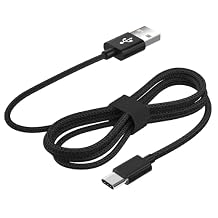
Top selling PS5 Controller Cable in Malaysia



Last Updated on June 10, 2026
Product Price History
Important information
- Limitations : For products shipped internationally, please note that any manufacturer warranty may not be valid; manufacturer service options may not be available; product manuals, instructions, and safety warnings may not be in destination country languages; the products (and accompanying materials) may not be designed in accordance with destination country standards, specifications, and labeling requirements; and the products may not conform to destination country voltage and other electrical standards (requiring use of an adapter or converter if appropriate). The recipient is responsible for assuring that the product can be lawfully imported to the destination country. When ordering from Ubuy or its affiliates, the recipient is the importer of record and must comply with all laws and regulations of the destination country.
- Not all the products listed on Ubuy are for sale, as Ubuy is a global search engine. Products are subject to export/trade regulations.
TZS 61251
Order now and get it around Thursday, July 02
This item is not restrict in my country.(Please click on above link if this item is not restrict in your country, So our team will review and allow.)
QTY:
Secured transaction
Ubuy works hard to protect your security and privacy. Our advanced payment security system ensures confidentiality by encrypting your information during transmission using AES (Advanced Encryption Standards) and SSL (Secure Socket Layer) protocols. Your payment details are 100% secure as we do not share your payment details with third party sellers.
Our Top Logistics Partners
Fastest cross-border delivery
Features & Benefits
- Easy installation with video guidance available on YouTube.
- Includes all necessary high-quality tools for assembly.
- Comes with 5 replacement screws to ensure a perfect fit.
- Inspected parts guarantee highest quality for your device.
- Compatible with PS5 Controller BDM-010 only.
- DIY enthusiasts will enjoy the complete kit for a fun experience.