- Home Page /
- Software /
- Video /
- Video Editing /
- Screen recorder software for PC record videos and take ...
0 ratings




Item #:
65045440
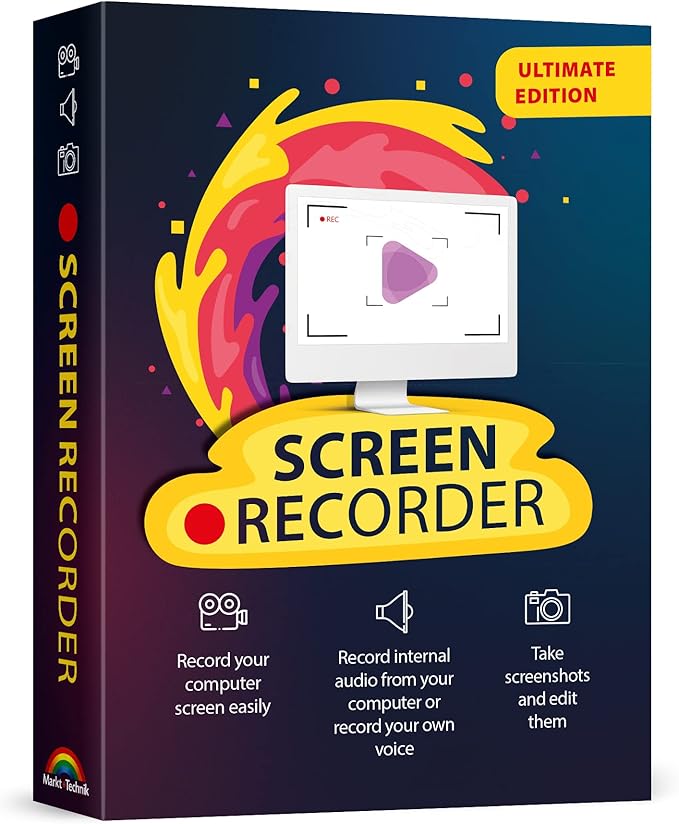
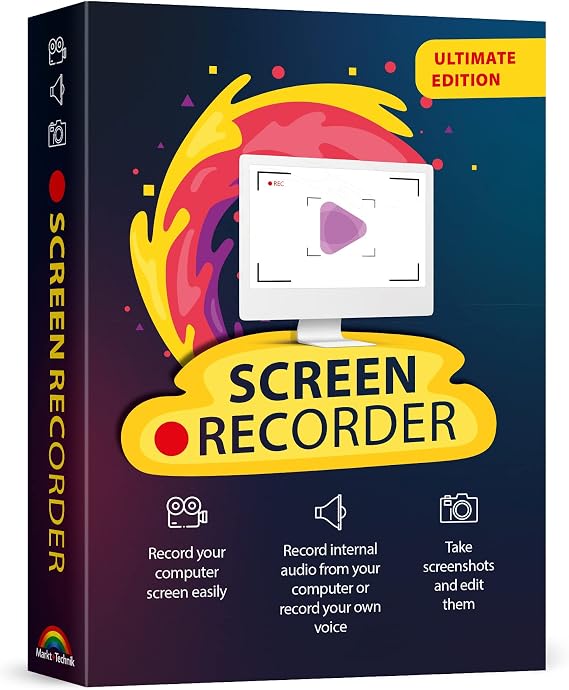
Screen recorder software for PC record videos and take screenshots from your computer screen compatible with Windows 11, 10, 8, 7
Item #:
65045440
TZS 86342
Price Details
Excluding Shipping & Custom charges ( Shipping and custom charges will be calculated on checkout )
*All items will import from US
0 ratings
Write a review
In stock
 Imported from USA store
QTY:
Order now and get it around Monday, August 31
Secured transaction
Ubuy works hard to protect your security and privacy. Our advanced payment security system ensures confidentiality by encrypting your information during transmission using AES (Advanced Encryption Standards) and SSL (Secure Socket Layer) protocols. Your payment details are 100% secure as we do not share your payment details with third party sellers.
Our Top Logistics Partners


Fast
Shipping

Free
Return*

Secure Packaging

100% Original Products

PCI DSS Compliance

ISO 27001 Certified





Note: Step Down Voltage Transformer required for using electronics products of US store (110-120). Recommended power converters Buy Now.


What Stands Out
Multi-Platform Compatibility
Works seamlessly with Windows 11, 10, 8, and 7, ensuring users can record and capture screen content on a wide range of devices without compatibility issues.
High-Quality Recording
Delivers superior video quality with customizable settings, allowing users to create professional-looking screen recordings that meet their specific needs.
Easy Screenshot Capture
Quickly take screenshots with a simple interface, enabling users to effortlessly capture important moments from their screen without additional software.
Product Details
- Capture videos and screenshots with sound from your computer screen
- Track mouse movement on screen recordings
- Integrate webcam footage into screen videos
- Simple editing capabilities for recordings
- Ideal for creating video tutorials, gaming content, and online classes
- Compatible with Windows 11, 10, 8, and 7
| Package Dimensions | 7.52 x 5.35 x 0.59 inches (19.1 x 13.6 x 1.5 cm); 2.4 ounces (68.04 grams) |
| Date First Available | August 16, 2022 |
| Manufacturer | Markt + Technik |
Who Should Buy?

-
Content Creators
Ideal for YouTubers and streamers who need to capture and edit engaging video content efficiently.
-
Educators
Perfect for teachers and trainers creating instructional videos or tutorials to enhance remote learning experiences.
-
Business Professionals
Useful for professionals conducting presentations or meetings who wish to share their screens for clearer communication.

-
Casual Users
Individuals needing simple screen captures may find this software overly complex for basic tasks.
Product Description
Have any Query? Chat with us
Customer Questions & Answers
-
Question:
What types of tasks can I perform with screen recorder software for PC?
Answer: Screen recorder software for PC is versatile and can be used for a variety of tasks, such as capturing gameplay, conducting online tutorials, or creating presentation videos. Whether you're demonstrating software features or providing customer support tutorials, these tools allow you to record high-quality video along with audio. For instance, educators can create instructional videos that enhance learning engagement while gamers can share their gameplay highlights with friends. -
Question:
Is screen recording software for PC compatible with all versions of Windows?
Answer: Yes, most screen recorder software for PC is designed to be compatible with various versions of Windows, including Windows 11, 10, 8, and 7. This compatibility enables users on different systems to take advantage of screen recording functionalities. For example, whether you're updating from an older Windows version or using the latest, you can record your screen, ensuring that everyone has access to similar features regardless of the platform they are using. -
Question:
What features should I look for in screen recorder software?
Answer: When selecting screen recorder software, consider features like screen capture resolution, audio recording capabilities, the ability to record webcam videos, and editing options. High-resolution capture and clear audio are crucial for making professional-quality videos. For example, if you're creating marketing content, ensuring crisp visuals and sound can significantly impact audience engagement. -
Question:
Can I use screen recorder software to take screenshots?
Answer: Absolutely! Most screen recorder software for PC includes screenshot capabilities, allowing users to capture still images of their screen. This is useful for documentation, creating visual aids for presentations, or sharing specific content without needing video. For example, you may want to document a software bug or create guides for online platforms, making screenshots a vital feature. -
Question:
Is it possible to record audio while screen recording?
Answer: Yes, screen recording software typically allows you to record audio alongside your screen capture. This includes system audio, microphone input, or both. For instance, when creating video tutorials or webinars, recording your voice will help explain processes, making the content more informative and engaging for viewers. -
Question:
Are there any limitations with using screen recorder software?
Answer: While screen recorder software is powerful, there may be limitations, such as maximum recording duration or file sizes. Additionally, some software may limit features unless upgraded to a premium version. Understanding these limitations helps in choosing the right software based on your needs, especially when planning longer recordings, such as live streams or meetings. -
Question:
How can I edit my recorded videos after capturing them?
Answer: Many screen recording software options provide built-in editing tools, allowing you to trim segments, add effects, or annotate your videos. With these features, you can refine your recorded videos to focus on key points and enhance audience engagement. For example, adding captions or highlights can make your instructional videos clearer and more accessible. -
Question:
What are the benefits of using a screen recorder for online meetings?
Answer: Using screen recorder software for online meetings provides a reliable way to document discussions, making follow-up easier. Recordings can capture important points, decisions made, and action items discussed during the meeting. You can later share the recording with team members who were unable to attend or use it for reference in future projects. -
Question:
Can I record gameplay using screen recording software?
Answer: Yes, screen recorder software is widely used by gamers to record their gameplay, showcasing their skills or creating content for streaming platforms. By using dedicated recording software, players can capture high-quality video and share highlights or tutorials on various social media platforms. This is particularly popular for channels focusing on game reviews or gameplay tips. -
Question:
How do I choose the right screen recorder software for my needs?
Answer: Choosing the right screen recorder software depends on your specific requirements, such as whether you need just basic recording features or advanced editing tools. Researching user reviews, feature sets, and support options will help identify software that best meets your needs. For instance, a content creator will need different functionalities than someone simply recording meetings. -
Question:
Where can I buy screen recorder software for PC compatible with Windows 11, 10, 8, 7?
Answer: You can purchase screen recorder software for PC compatible with Windows 11, 10, 8, and 7 at Ubuy. Ubuy offers a wide range of software options that cater to different recording needs, ensuring that you find the right fit for your PC setup. Whether you're looking for a basic screen capture tool or a comprehensive software suite, Ubuy provides an easy platform to browse and purchase.
Markt + Technik Video Editing Editorial Review
The product in question presents a mixed bag of user experiences. While some customers laud its ease of use and straightforward setup, describing it as a reliable tool for their recording needs, others find significant issues that leave them frustrated. A common grievance is the confusing user manual, particularly for those who struggle with the German language, which has led to some opting for alternative software. A notable point of contention is the software's handling of the license key. Users report repeated prompts for the key upon each use, and several have faced expiration problems that render the application unusable after a limited number of sessions. This lack of effective support from the developer exacerbates the situation, as users reporting these issues found their queries ignored. On the brighter side, the core functionality—recording quality—receives praise, particularly for compatibility with Windows 10, and it has proven useful for specific tasks such as capturing snapshots for detailed analysis. Overall, users seeking a reliable recording solution may find value here, but those who prioritize support and a seamless experience might be left wanting. **
Customer Reviews & Ratings
45 customers ratings
-
5 Star
51%
-
4 Star
15%
-
3 Star
18%
-
2 Star
0%
-
1 Star
16%
Review this product
Share your thoughts with other customers
Pros
- Easy to use with a straightforward setup
- Effective recording quality
- Good compatibility with Windows 10
- Useful for specific tasks like taking snapshots
Cons
- User manual is confusing, especially for non-German speakers
Platform Trust & Buyer Confidence

MA
Mohammad
Verified buyer
“Excellent quality and original too,when ubuy send original things I will appreciate that ,I very satisfied thank you”
23 July 2026 · via Trustpilot
CK
Chitra
Verified buyer
“The order and delivery progress was communicated very well. Package arrived within the estimated time. Products arrived as expected in good condition.”
22-Jul-26 · via Trustpilot
K
kund
Verified buyer
“Good supply of products. Safe payment methods, and shipment worldwide! Genuine products.”
23-Jul-26 · via Trustpilot
OO
Onesi
Verified buyer
“Was my first time buying a product from Ubuy, but I found it so helpful. This is reliable. Gonna place a new order!”
22 July 2026 · via Trustpilot
SJ
SAO JOHN
Verified buyer
“Ubuy is a great online platform to buy stuff. Reliable, fast delivery time and great value for money. I've been using Ubuy online shopping platform for three years now and will continue to do so.”
23 July 2026 · via Trustpilot
Secure Checkout
Global Delivery
Easy Returns
Genuine Products
Product Price History
Important information
- Limitations : For products shipped internationally, please note that any manufacturer warranty may not be valid; manufacturer service options may not be available; product manuals, instructions, and safety warnings may not be in destination country languages; the products (and accompanying materials) may not be designed in accordance with destination country standards, specifications, and labeling requirements; and the products may not conform to destination country voltage and other electrical standards (requiring use of an adapter or converter if appropriate). The recipient is responsible for assuring that the product can be lawfully imported to the destination country. When ordering from Ubuy or its affiliates, the recipient is the importer of record and must comply with all laws and regulations of the destination country.
- Not all the products listed on Ubuy are for sale, as Ubuy is a global search engine. Products are subject to export/trade regulations.
TZS 86342
Order now and get it around Monday, August 31
This item is not restrict in my country.(Please click on above link if this item is not restrict in your country, So our team will review and allow.)
QTY:
Secured transaction
PCI DSS compliant and ISO 27001:2022 certified, with encrypted payments and full buyer protection on every order.
Our Top Logistics Partners
Fastest cross-border delivery
Ubuy Assurance
Experience worry-free shopping with 100% original products, PCI DSS-compliant payment security, ISO 27001-certified data protection, the fastest cross-border delivery, free returns *, and secure packaging on every order.